



Accelerate procurement contracts with SpotDraft x Coupa integration
Initiate vendor contracts in Coupa, manage them through execution with SpotDraft, and sync the details back to Coupa to trigger PO creation.


One unified workflow from request to purchase order
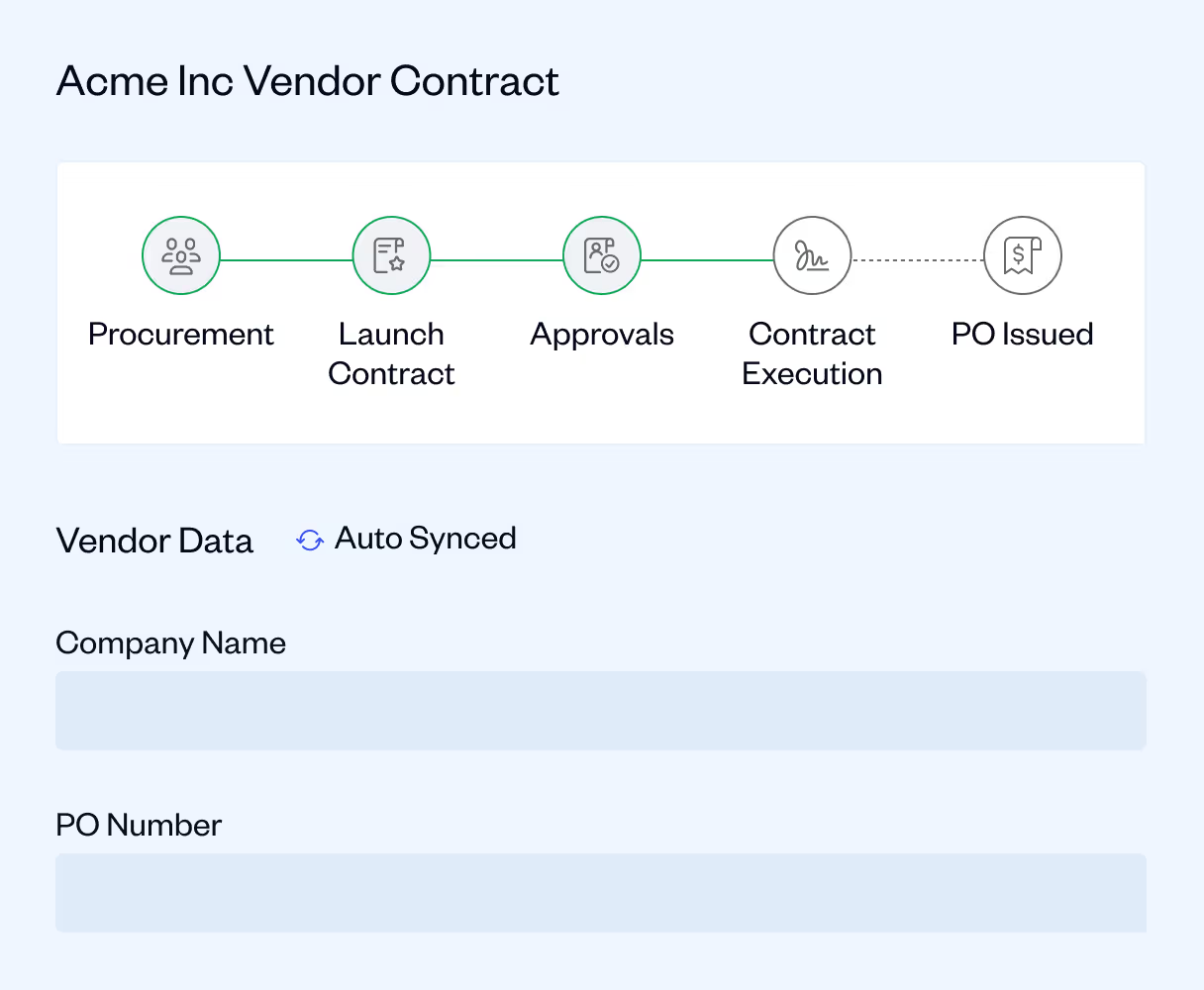
Connect procurement and legal teams on one seamless track
- No more switching platforms or emailing legal to kick off a contract
- Contracts are auto-created in SpotDraft, with legal reviewers assigned and approvals triggered
- Executed contracts and metadata are pushed back to Coupa
.avif)
Cut time and reduce risk with auto-mapped workflows
- Dynamic field mapping pulls Coupa data directly into SpotDraft contracts
- No manual copy-paste or data duplication
- PO creation is triggered immediately after contract execution
.avif)
Full visibility and in sync
- Track every milestone from contract creation to PO release
- Avoid version mismatches and untracked approvals
- Automatically sync vendor records from Coupa to SpotDraft
- Automated notifications and approvals between systems
.avif)
.avif)

Frequently Asked Questions
What does the SpotDraft–Coupa integration do?

How does the integration help procurement teams?
What data is synced between SpotDraft and Coupa?
Is the SpotDraft–Coupa integration secure?
How can I set up the Coupa integration in SpotDraft?