The main Conga CLM competitors include Ironclad, DocuSign CLM, Agiloft, LinkSquares, Juro, Sirion, Icertis, PandaDoc, DealHub, ContractWorks, and Concord. However, each serves a different need. The right shortlist depends on whether you are replacing core CLM, document generation, e-signature, CPQ, Salesforce-connected workflows, or post-signature management.
Which Conga competitor is best for mid-market companies?
For mid-market companies, the best Conga competitor is one that balances workflow coverage with manageable implementation and administration. Juro and LinkSquares suit Legal-led processes, PandaDoc fits document and e-signature workflows, ContractWorks supports repository-first needs, and Concord covers the core contract lifecycle. The right choice depends on contract volume, integration requirements, and available internal resources.
What is the best alternative to Conga CLM?
The best alternative to Conga CLM depends on the capability being replaced. Ironclad and Agiloft fit configurable enterprise workflows, Icertis supports global governance, Sirion focuses on post-signature obligations, and DealHub connects contracts with CPQ. Meanwhile, LinkSquares and Juro suit teams prioritizing Legal workflows and AI. Compare these options against your current Conga products, integrations, and administration needs.
Is Conga like DocuSign?
Conga and DocuSign overlap, but they are not the same. Conga offers CLM, document generation, e-signature, CPQ, billing, and pricing products. DocuSign is best known for e-signature but also provides CLM and broader agreement-management tools. Therefore, compare equivalent products: Conga CLM with DocuSign CLM, or Conga Sign with DocuSign eSignature.
Is Apttus the same as Conga?
Yes. Apttus and Conga combined in 2020, and the merged company continued under the Conga name. Consequently, older contract environments may still contain Apttus-branded objects, configurations, documentation, or internal terminology, even though the current vendor and product portfolio use the Conga brand.
Top 12 Conga Competitors & Alternatives for Contract Management
By
Huzaifa Sultana
•
Sep 8, 2026
•
10mins
•
Updated
Oct 20th, 2026
Huzaifa Sultana is a Marketing Associate at SpotDraft focusing on Organic Growth through SEO and AEO.
TL;DR
Conga can support contract lifecycle management, document generation, e-signature, CPQ, billing, and pricing, so different customers may depend on different combinations of products.
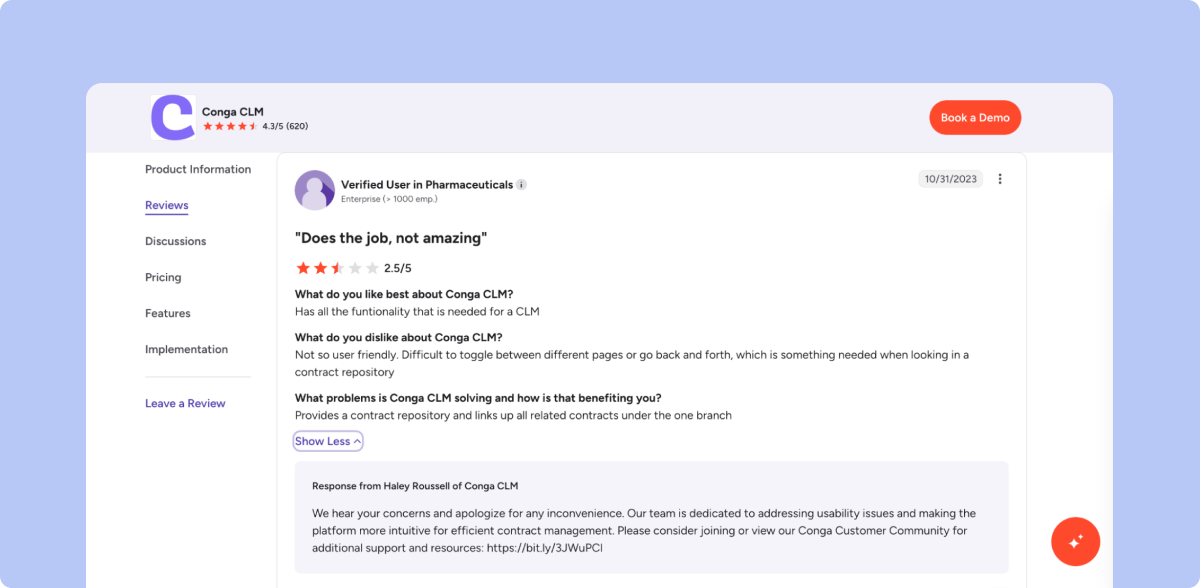
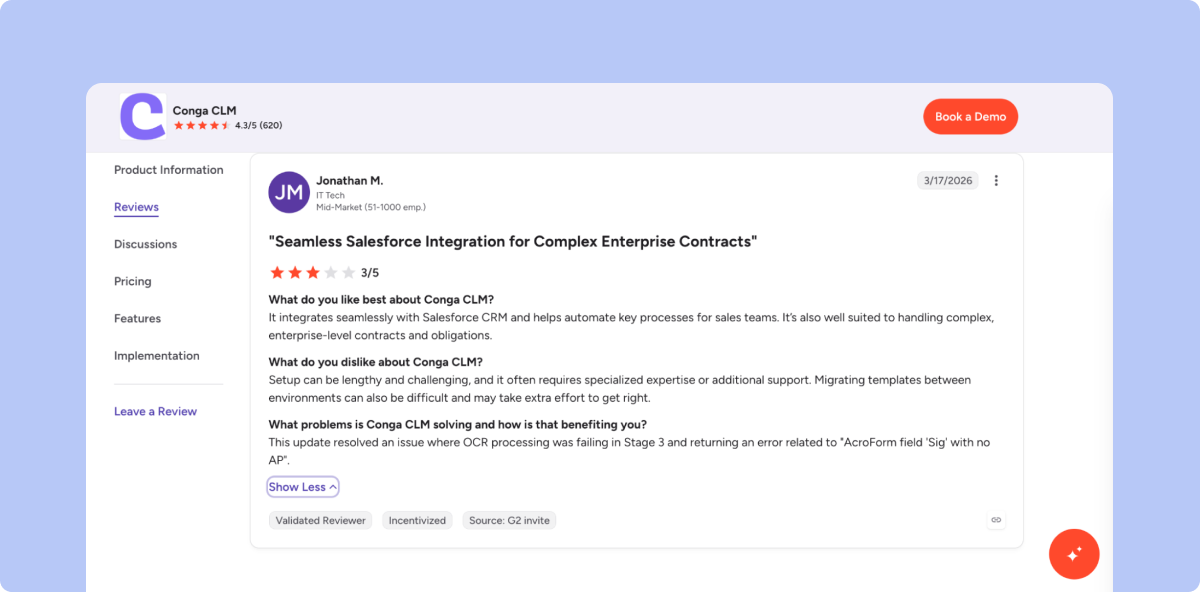
G2 reports an average Conga CLM implementation time of four months. Reviews also mention a steep learning curve, complex initial setup, and time-consuming implementation, although users value the platform’s flexibility, automation, and Salesforce integration.
Conga alternatives are not interchangeable: some focus on enterprise workflows, some on AI-assisted review, and others on document creation, repository management, CPQ, or post-signature performance.
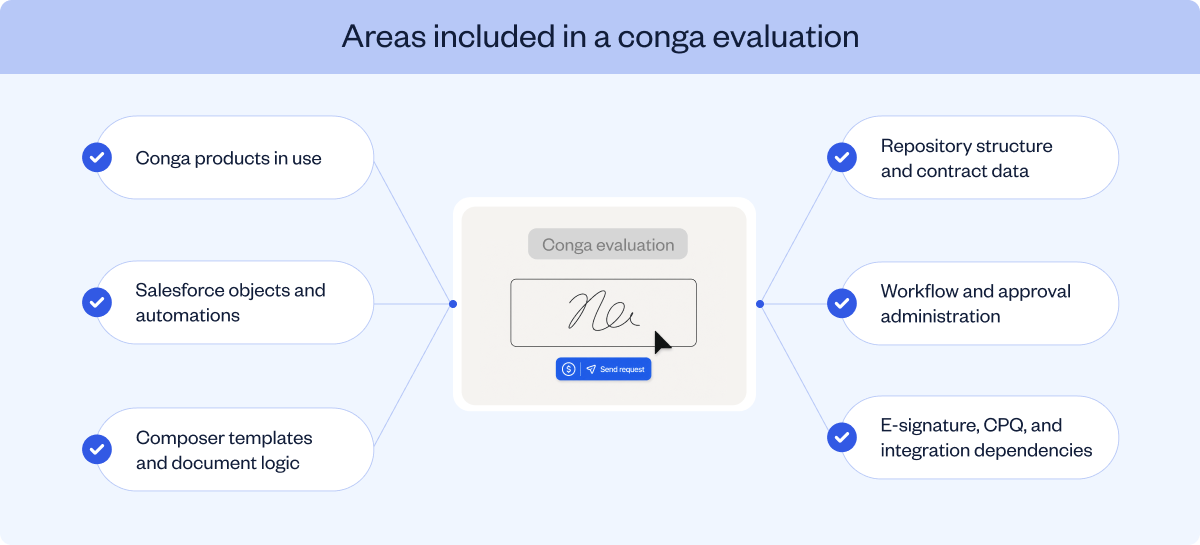
Before switching, teams should map Composer templates, Salesforce objects, contract data, approval rules, signature processes, integrations, permissions, and reporting requirements.
SpotDraft gives Legal control over contract templates, playbooks, approvals, permissions, and workflows while business teams complete routine contract work within those controls.
Ask five Conga customers what they use the platform for, and you may get five different answers. One may rely on Composer for document generation, another on Conga CLM for contract management, and another on Conga Sign for execution. Companies with more complex sales processes may also use Conga CPQ to connect pricing and quoting with contracting.
This breadth can be valuable when an organization wants these activities to operate as one connected commercial workflow. Conga can also integrate with CRM, ERP, and other cloud systems through connectors and APIs. Even so, the practical setup depends on how the platform is deployed. Conga CLM for Salesforce, for example, runs on Salesforce and stores contract data there. As a result, templates, permissions, objects, and workflows can become closely tied to the Salesforce environment.
So, before comparing features, buyers need to answer a more basic question: Which part of Conga are we actually replacing? This guide covers the top Conga competitors and alternatives for contract management.
Why Teams Start Looking Beyond Conga
The reason teams evaluate Conga alternatives is not necessarily a lack of functionality. Conga can automate contract creation, review, approval, signature, obligation management, and renewals. Its wider platform also connects contracts with document generation, pricing, quoting, billing, and commercial operations.
However, supporting that breadth can require more implementation and administration than some contract teams need.
G2 currently reports an average implementation time of four months for Conga CLM. Its review summary also identifies complex setup, a steep learning curve, insufficient documentation, and time-consuming implementation as recurring concerns.
The template issue is also documented by Conga. Its migration guidance notes that related schema and master-data changes may need to be present in the target environment before a template is moved successfully.
That makes template migration a concrete area to check during a replacement project, especially where contract generation depends on Salesforce data or related configuration.
The next step is to identify which parts of the current setup need to move before comparing Conga alternatives.
What Your Team Needs to Replace in Conga
A Conga replacement does not always cover the same set of products and workflows.
The scope may include Conga CLM alone or extend to Composer, Conga Sign, CPQ-connected processes, Salesforce workflows, contract data, and integrations.
The table below separates those components so teams can see what each one contributes to the current setup.
Current component
Existing elements to record
Replacement scope
Conga CLM
Requests, templates, clauses, approvals, negotiations, metadata, reports, and repository structure
Signature routing, authentication, reminders, certificates, and executed copies
E-signature and execution records
Conga CPQ or connected CPQ
Product data, pricing rules, quotes, commercial approvals, and contract-generation dependencies
Commercial information passed into contracts
Salesforce
Objects, fields, flows, triggers, buttons, permissions, and reports
CRM-based contract intake, generation, and status updates
Contract repository
Agreements, amendments, attachments, metadata, relationships, and access controls
Search, reporting, permissions, and contract relationships
Integrations and APIs
CRM, ERP, procurement, storage, identity, communication, and custom connections
Data transfer and workflow continuity
Administration
Workflow owners, template owners, system administrators, and integration owners
Ongoing configuration and governance
12 Best Conga Competitors for Contract Management in 2026
The platforms below cover different parts of contract management. The right fit depends on whether the priority is Legal-led contracting, configurable workflows, post-signature management, or a more focused document process.
1. SpotDraft
SpotDraft is a context-aware, AI-native CLM for in-house Legal teams. It brings contract workflows, negotiation, e-signatures, repository management, analytics, and AI-assisted review into one contract-management environment.
Key features
Sets conditional templates, automates approvals, and tracks contracts from draft to signature.
Supports contract review, redlining, and finalization in Microsoft Word, Slack, and SpotDraft.
Consolidates agreements in a central repository with search and access controls.
Reviews contracts against configurable VerifAI Guides and suggests language, comments, and redlines.
Surfaces renewals, bottlenecks, team workloads, and other contract-process information through analytics.
Pros
Provides a dedicated implementation team and a setup based on the customer’s contract process.
Includes contract migration, team training, live templates, approvals, integrations, and dashboards in its published implementation process.
Provides a dedicated customer success manager, expert onboarding, continuous training, and 24/7 omnichannel support.
Cons
Linking VerifAI Guides to workflows requires VerifAI for Teams and the relevant AI module.
The published under-six-week switching timeline can vary according to the nature and complexity of the requirements.
The Contract Buyout Program requires the customer to sign a SpotDraft contract upfront, although billing begins after the existing CLM contract ends.
2. Ironclad
Ironclad provides AI-powered contract lifecycle management across contract creation, review, signature, storage, analysis, and fulfillment. Its platform includes configurable workflows, contract editing, repository management, and AI-assisted drafting, review, negotiation, and legal research.
Key features
Configures request forms, contract templates, approval rules, and signature policies through Workflow Designer.
Supports contract editing, comments, tracked changes, and negotiation through its DOCX-native editor.
Stores completed agreements and associated structured contract data in the Repository.
Uses Jurist to support contract drafting, review, negotiation, and legal research.
Launches and manages contract workflows through the platform interface or API.
Pros
Allows non-technical contract experts to update contract language, policies, and form fields without changing application code.
Keeps requesters, negotiators, approvers, and other stakeholders in one workflow.
Allows Legal Operations and IT responsibilities to be separated through admin groups, including settings that let IT manage integrations and APIs without accessing contract data.
Cons
API Management requires the relevant API package.
Some integrations require an additional purchase.
Security and Data Management features require the Security and Data Pro add-on.
3. DocuSign CLM
DocuSign CLM manages contract creation, collaboration, review, workflow automation, storage, and post-signature tracking. It also supports dynamic document generation, clause libraries, contract-data extraction, and AI-assisted analysis within DocuSign’s agreement-management portfolio.
Key features
Generates contracts through dynamic templates and populates them with information from systems such as Salesforce.
Applies conditional rules when agreements contain non-standard terms.
Stores pre-approved contract language in clause libraries.
Routes agreements through internal and external reviews with version control.
Stores agreements in an AI-powered repository and tracks milestones, obligations, and renewals.
Extracts, analyzes, and reports on contract data using more than 100 pre-trained AI models.
Pros
Provides more than 100 preconfigured workflow steps for generation, review, approval, signature, and storage.
Connects with existing tools through pre-built connectors and APIs.
Supports AI-assisted review, negotiation, summarization, extraction, and contract questions.
Cons
The product page directs enterprise buyers to contact Docusign for plan and pricing information.
Some Intelligent Agreement Management allowances vary according to the plan and order start date.
Automation sends, Agreement Manager documents, custom extraction, and certain document-generation activities may count against applicable plan allowances.
4. Agiloft
Agiloft manages the contract lifecycle from request through renewal. Its platform supports configurable workflows, approvals, data models, automations, contract intelligence, obligation management, and connections with CRM, ERP, e-signature, productivity, storage, and BI systems.
Key features
Configures workflows, approvals, data models, and automations without writing code.
Converts contract information into searchable and reportable business intelligence.
Manages contract activity before signature and obligation and renewal work after execution.
Uses Astra to compare contract language against standards, recommend revisions, extract commitments, and trigger notifications.
Connects contract data with ERP, CRM, e-signature, productivity, storage, and business-intelligence systems.
Pros
Allows approved team members to change processes without opening a support request.
Provides point-and-click connections with more than 1,000 systems.
Centralizes contract creation, negotiation, execution, obligation tracking, and renewal management.
Cons
Agiloft states that backend setup requires some technical expertise.
The company describes the product as easy for daily users after the initial setup has been completed.
Standard pricing and a universal implementation duration are not published on the cited product page.
5. LinkSquares
LinkSquares covers contract work from drafting through signature and renewal. Its platform combines contract workflows, repository management, AI-assisted review, agreement summaries, contract search, structured data extraction, and tracking of dates, obligations, risks, and other contract information.
Key features
Surfaces contract dates, terms, obligations, risks, and performance information.
Centralizes clauses, templates, playbooks, contract requests, and workflows.
Automates approval routing, tasks, notifications, and contract processes.
Reviews and redlines agreements against playbooks through the AI Legal Assistant.
Produces agreement summaries and supports contract questions and legal research.
Tracks renewals and other contract events across the portfolio.
Pros
Uploads and digitizes legacy contracts so they can be searched and reported alongside newer agreements.
Automatically ingests fully signed Finalize agreements into Analyze by default when customers use both products.
Allows the AI Legal Assistant to analyze as many as five selected files in one request.
Cons
Changes made in the Finalize Info tab after an agreement has synced are not reflected in Analyze.
Related Agreement links created in Finalize do not carry over to Analyze.
Unsigned attachments and attachments from Adobe Acrobat Sign do not sync into Analyze.
XLSX files are not eligible for ingestion through the Analyze and Finalize integration.
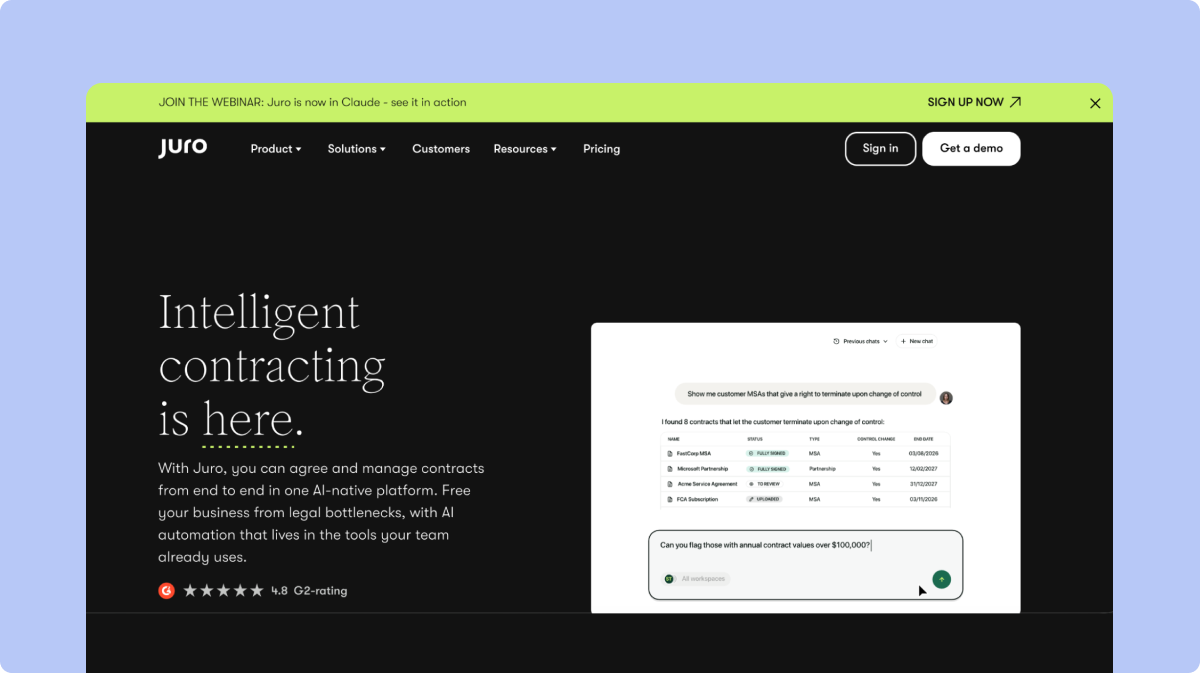
6. Juro
Juro combines self-serve contract templates, AI-assisted intake and review, and an intelligent repository. Teams can create agreements, bring third-party contracts into workflows, review against playbooks, extract structured data, and query contract information using natural language.
Key features
Creates agreements from templates controlled by Legal or from information in an integrated CRM or applicant-tracking system.
Brings third-party agreements into contract workflows.
Reviews and redlines contracts against user-defined playbooks.
Uses AI Extract to convert contract terms into structured data.
Uses Operator to answer questions across contract information in natural language.
Connects with Salesforce, HubSpot, Slack, Microsoft Word, Docusign, Google Drive, and other systems.
Pros
Provides source citations with answers returned by Operator.
Publishes a 99.9% platform-uptime figure.
States that the platform is SOC 2 Type 2 certified and has processed contracts across more than 85 countries.
Cons
Operator is limited to 500 completed tasks per customer each month.
AI Review is limited to 10 reviews per user every two hours.
Bulk AI Extract is limited to 200 documents in each extraction.
7. Sirion
Sirion’s Contract Performance Management product connects contractual obligations and service-level agreements with operational performance and billing. It tracks commitments, service levels, financial impact, invoice accuracy, and whether contractual obligations are being fulfilled after execution.
Key features
Tracks the fulfillment of obligations and service-level agreements across all parties.
Automatically calculates delivered service levels and flags deviations through RAG dashboards.
Shows completed, upcoming, overdue, and at-risk obligations.
Sends alerts for upcoming and overdue commitments.
Calculates the financial effect of missed obligations and service levels.
Validates invoices against contract terms, pricing, consumption, and performance.
Pros
Maintains obligations in a centralized repository linked to contracts, counterparties, and service levels.
Breaks master obligations into child obligations and recurring tasks.
A unified performance view requires connections with relevant ERP, procure-to-pay, source-to-pay, or IT service-management systems.
Service-level monitoring requires operational performance data from connected systems.
Invoice validation requires the applicable contract terms, pricing, consumption, and performance information.
8. Icertis
Icertis Contract Management combines a centralized contract system of record with standardized workflows, contract intelligence, and enterprise-system integrations. It supports contract ingestion, structured data extraction, creation, review, governance, obligations, and fulfillment.
Key features
Ingests legacy and third-party agreements into a central repository.
Converts unstructured agreements into structured, searchable contract data.
Answers natural-language questions across contracts through Vera Copilot.
Uses approved templates and clause libraries during contract creation.
Supports contract review and redlining in Microsoft Word.
Manages contract work through SAP, Microsoft, Salesforce, Workday, and other connected systems.
Pros
Provides role-based controls and self-service administration for standardized workflows.
Preserves contract records, relationships, version history, and structured information in a governed repository.
Icertis publishes a six-phase implementation process rather than a single setup step.
The Discover and Configure phase can include data migration, integrations, and custom design components.
The Build and Transfer phases include system testing, documentation, training materials, and post-implementation planning before go-live.
9. PandaDoc
PandaDoc covers document creation, signature, and payment across contracts, proposals, quotes, e-signatures, payments, and CPQ use cases. Its platform includes templates, document editing, approvals, redlining, CRM connections, signature controls, audit trails, and document organization.
Key features
Creates agreements through customizable templates and a drag-and-drop editor.
Supports comments, suggested edits, version history, document approvals, and redlining.
Connects documents with CRM information, workflow automations, and an embeddable API.
Records audit trails, user activity, and document-engagement information.
Organizes Legal documents through folders, tagging, reusable clauses, content controls, and repository search.
Pros
Handles proposals, quotes, agreements, signatures, and payments within the same document environment.
States compliance with E-SIGN, UETA, and HIPAA requirements and SOC 2 certification.
Provides SSO and API-based controls for documents, workspaces, and permissions.
Cons
The current new redlining experience is an early-access feature available on Business annual and Enterprise annual plans, with a paid add-on required for Business.
The current redlining workflow does not work with uploaded content.
Members cannot manage approval workflows or act as approvers, while Collaborators cannot approve documents.
10. DealHub
DealHub provides contract management as part of its quote-to-revenue platform. Its CLM capabilities cover contract generation, clause management, negotiation, approvals, execution, storage, and CRM-connected document workflows alongside CPQ, subscriptions, billing, and revenue intelligence.
Key features
Creates NDAs, MSAs, and other agreements from dynamic templates.
Stores approved contract language in a centralized clause library.
Supports redlining, version comparisons, and guided negotiation workflows.
Routes agreements through configurable and ad hoc approvals involving Legal, Finance, and other stakeholders.
Sends real-time alerts when recipients view or interact with contracts.
Stores completed agreements in a centralized repository.
Merges CRM information and documents from external sources into contracts.
Pros
Connects contract management with CPQ, subscriptions, billing, and revenue intelligence.
Supports workflows used by Sales, Revenue Operations, Finance, and Legal teams.
Connects with Salesforce, HubSpot, Microsoft Dynamics, NetSuite, Docusign, Slack, Gong, and the DealHub API.
Cons
Standard subscription prices are not published; the pricing page directs buyers to request pricing.
AI-powered Contract Insights is currently marked as “coming soon” on the CLM product page.
Contract management is one part of the wider quote-to-revenue platform, so buyers need to establish which products and integrations are included in their proposed package.
11. ContractWorks
ContractWorks provides a secure, AI-powered contract repository, while ContractWorks Premium adds broader lifecycle capabilities. The platform supports contract storage, AI-powered tagging, OCR search, reporting, renewal alerts, e-signature, and, on Premium, drafting, negotiation, and workflow automation.
Key features
Stores agreements in a central, searchable repository.
Identifies agreement types, parties, effective dates, renewal terms, and notice windows through AI-powered tagging.
Locates contracts and contract details through OCR and advanced search.
Produces custom and scheduled reports.
Tracks renewals and other important dates through alerts and notifications.
Sends and files agreements through built-in electronic signature.
Pros
Includes unlimited users with every current plan.
Includes onboarding and migration assistance with paid plans.
Provides a 14-day trial and preserves uploaded contracts, tags, alerts, and user settings when the customer moves to a paid plan.
Cons
Current plans are divided into allowances of 1,000, 10,000, or 50,000 documents.
Each plan includes 10 electronic-signature licences; additional licences are sold separately.
Concord provides end-to-end contract management from intake and drafting through approval, signature, storage, and renewal. Its platform includes intake forms, clause management, redlining, approval workflows, e-signature, searchable contract storage, AI extraction, and deadline alerts.
Key features
Standardizes contract requests through intake forms.
Maintains pre-approved language in a clause library.
Supports drafting, redlining, tracked changes, comments, audit trails, and version control.
Routes agreements for review and approval according to configured rules.
Provides native e-signature and an integration with Docusign.
Makes uploaded contracts searchable through bulk upload and AI extraction.
Sends alerts for renewals, terminations, and other important contract dates.
Pros
Includes unlimited documents, unlimited e-signatures, and unlimited free viewers and guests in the Essentials plan.
Publishes standard prices for Essentials, Business, and Enterprise plans.
Includes AI Copilot and extraction, negotiation tools, deadline reminders, and amendment management in Essentials.
Cons
Intake forms, approval workflows, custom roles, custom reports, and several business-system integrations begin on the Business plan.
The clause library, bulk sending, subsidiary management, and Open API begin on the Enterprise plan.
Each current paid plan includes five users, with separate per-user charges for additional users.
Which Conga Alternative Fits Your Existing Stack?
Product capability is only one part of the decision. The systems already connected to contracting can narrow the shortlist before the team begins detailed demonstrations.
The table below maps common Conga setups to the capabilities buyers should verify in a replacement.
This maps each platform to the product areas emphasized in its current official materials.
For example, a company that mainly relies on Conga for document generation and signature may not need a global enterprise CLM. Conversely, a business with complex obligations, SAP data, and regional governance requirements may find a document-focused product too narrow.
So the existing stack should determine which vendors move into detailed evaluation.
What to Plan Before Migrating Off Conga
A migration from Conga may involve more than copying signed contract files into a new repository. The team may also need to recreate document logic, workflow rules, structured contract data, permissions, reports, and integrations.
That is why migration planning should begin before the vendor is selected.
Key areas to review include:
Composer templates and document logic: Record each template, query, merge field, conditional rule, clause, output format, data dependency, and generation trigger.
Salesforce objects and fields: Identify the records, fields, relationships, flows, buttons, triggers, and permissions connected to contract work.
Historical agreements: Decide which contracts, amendments, attachments, versions, metadata, counterparties, dates, and ownership records need to move.
Clause libraries: Record approved clauses, fallback language, jurisdictional variations, term exceptions, and associated approval rules.
Approval workflows: Map Legal, Finance, Security, Procurement, business, and executive approvals, including value- or risk-based thresholds.
CPQ dependencies: Identify the products, prices, discounts, quote fields, approval triggers, amendments, and renewal processes passed into contracts.
Integrations and APIs: List each system that sends or receives contract data and the workflows that depend on that exchange.
Roles and permissions: Define access for administrators, contract creators, approvers, negotiators, business requesters, and repository users.
Reports and dashboards: Record the operational, Legal, commercial, renewal, obligation, and compliance reports that must be recreated.
Testing: Validate generated documents, workflow routing, approvals, migrated data, permissions, signatures, integrations, and reports before launch.
Ongoing ownership: Assign responsibility for templates, workflows, playbooks, integrations, permissions, reporting, training, and vendor management.
SpotDraft offers a Contract Buyout Program for teams switching from another CLM. It includes a tailored transition roadmap, assisted migration, and the option to go live with SpotDraft before the existing contract expires.
How SpotDraft Fits Teams Moving Beyond Conga
SpotDraft fits in-house Legal teams whose main requirement is end-to-end contract lifecycle management rather than a combined CPQ, billing, pricing, and revenue-management environment.
The platform brings contract intake, creation, review, approvals, negotiation, e-signature, storage, reporting, and analytics into one system. Legal sets the templates, playbooks, approval rules, permissions, and access controls, while business teams can complete routine contract work within those defined processes.
This operating model gives Legal control without requiring the Legal team to carry out every administrative step manually.
SpotDraft’s core capabilities include:
Contract Templates: Supports repeatable contract creation using approved templates.
Contract Workflows: Routes agreements through the right reviews and approvals.
VerifAI: Applies Legal’s playbooks during review and surfaces terms that need attention.
Contract Repository: Keeps signed agreements and contract data searchable after execution.
“Before using SpotDraft, executing a contract would take up to weeks. Now, contracts are signed within minutes, with better data security and tracking. The whole process takes us less than a day!”
Arti Singh
Founder’s Office, Growth, UrbanVault
“Before using SpotDraft, executing a contract would take up to weeks. Now, contracts are signed within minutes, with better data security and tracking. The whole process takes us less than a day!”