Contract analysis software helps legal and business teams review contracts faster by extracting key terms, identifying risks, tracking obligations, and making agreements searchable. The best tools combine AI-powered review, workflow automation, reporting dashboards, contract repository search, and integrations with contract lifecycle management (CLM), CRM, and e-signature platforms.
Legal teams, procurement departments, and sales operations use contract analysis software to reduce manual review time, catch non-standard clauses before they become problems, and gain visibility into obligations across their entire contract portfolio. According to the World Commerce and Contracting Association, poor contract management costs organizations an average of 9% of annual revenue — making the choice of analysis tool a measurable business decision, not just a legal operations preference.
In this guide, you will learn:
- What contract analysis software is and how it works
- The key features that separate strong tools from basic ones
- The benefits legal and business teams report after adoption
- How to evaluate and compare tools using a consistent framework
- The top contract analysis platforms available in 2026
- How contract analysis software differs from full CLM platforms
What Is Contract Analysis Software?
Contract analysis software is a technology tool that uses artificial intelligence (AI) and machine learning to read, extract, classify, and summarize information from contracts. It helps teams identify key clauses, flag risky or non-standard language, and search large volumes of agreements without reading every document manually.
Who Uses Contract Analysis Software?
Contract analysis software is used across several business functions:
- In-house legal teams — to review incoming third-party paper, enforce playbooks, and reduce time spent on routine agreements
- Procurement teams — to track supplier obligations, renewal dates, and pricing terms across vendor contracts
- Sales operations — to accelerate customer agreement review and reduce deal cycle times
- Finance and compliance teams — to monitor payment terms, liability caps, and regulatory requirements across active contracts
- M&A and due diligence teams — to analyze large volumes of legacy agreements quickly during transactions
How Is It Different from CLM and Contract Review Software?
These three categories overlap but serve distinct purposes:
| Category |
Primary focus |
Best used for |
| Contract analysis software |
Extracting, flagging, and summarizing contract data |
Reviewing existing agreements and identifying risks |
| Contract review software |
Redlining, editing, and negotiating contract language |
Active negotiation and drafting workflows |
| CLM software (contract lifecycle management) |
End-to-end contract process from request to renewal |
Teams managing the full contract lifecycle |
Contract analysis software is often a component within a CLM platform. It can also be purchased as a standalone tool for teams that need better visibility into contracts they already have.
What Does Contract Analysis Software Do?
Contract analysis software automates the tasks that legal teams previously handled manually. Core capabilities include:
- Clause extraction — Identifies and pulls specific clauses such as termination rights, indemnification, limitation of liability, and payment terms
- Risk flagging — Detects language that deviates from standard templates or internal playbooks and scores it by risk level
- Template comparison — Compares incoming contracts against approved fallback positions to highlight deviations
- Full-text repository search — Makes every contract in a database searchable by clause type, counterparty, date, or keyword
- Obligation tracking — Surfaces deadlines, renewal dates, notice periods, and milestones so teams can act before they expire
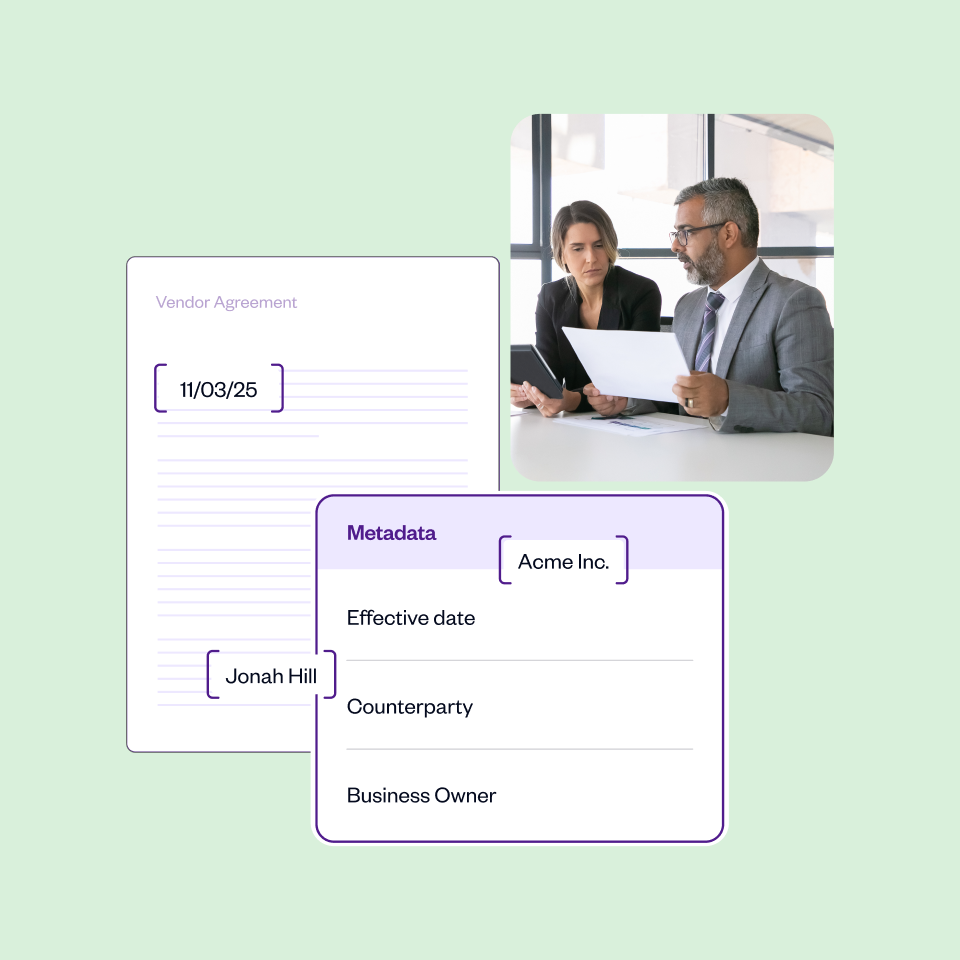
- Metadata extraction — Captures structured data fields such as effective date, governing law, and party names from unstructured documents
- Reporting and analytics — Generates dashboards showing contract volume, cycle time, risk distribution, and bottlenecks by team or deal type
Benefits of Contract Analysis Software
Faster Review and Approval Cycles
Contract analysis software reduces review time by automating the extraction of key clauses, routing agreements to the right approvers, and flagging only the sections that need human attention. Teams no longer read entire agreements line by line for routine contracts.
According to EY's Law Survey, legal departments that invest in contract technology report measurable reductions in time spent on low-complexity agreements. For high-volume environments — such as procurement teams processing hundreds of vendor contracts per quarter — this time saving compounds quickly.
Better Compliance with Internal Playbooks
Legal teams build approved fallback positions and clause libraries into their contract analysis tools. When an incoming contract deviates from those positions, the software flags it automatically. This means junior reviewers and business stakeholders can work with contracts without bypassing legal standards.
The result is more consistent contract quality across the organization, even when legal capacity is limited.
Earlier Risk Detection
AI-powered contract analysis tools identify risky language earlier in the review process. Instead of discovering a problematic indemnification clause during final sign-off, teams catch it at intake. This reduces renegotiation cycles and prevents unfavorable terms from slipping through during high-volume periods.
Common risk signals the software detects include:
- Uncapped liability provisions
- Auto-renewal clauses with short notice windows
- Broad intellectual property assignment language
- Unilateral amendment rights
- Missing dispute resolution clauses
Better Reporting and Process Improvement
Contract analysis software generates data that legal operations teams use to improve processes. Dashboards show where contracts stall, which clause types create the most negotiation friction, and how cycle times vary by contract type or business unit.
This reporting layer helps legal leaders make the case for additional resources and identify which contract templates need updating.
Easier Post-Signature Visibility
Most contract risk does not occur during negotiation. It occurs after signature, when obligations are missed, renewals auto-trigger, or pricing terms are not enforced. Contract analysis software creates an ongoing, searchable record of every obligation, deadline, and right across an organization's active agreements.
Teams use this visibility to avoid missed renewals, enforce SLAs, and respond quickly when a counterparty raises a dispute.
Key Features to Look for in Contract Analysis Software
Use this checklist when evaluating tools. Each feature is listed with a note on why it matters and a question to ask vendors.
AI Clause Extraction
- What it means: The software reads contracts and automatically identifies and labels specific clause types.
- Why it matters: Manual extraction is slow and error-prone at scale.
- Ask vendors: Which clause types does your model extract out of the box? How does it handle non-standard clause structures?
Risk Scoring and Deviation Detection
- What it means: The tool compares extracted clauses against a baseline and assigns a risk level.
- Why it matters: Risk scoring helps reviewers prioritize which contracts need the most attention.
- Ask vendors: Can we configure risk thresholds to match our internal contract playbook? How is the score calculated?
Contract Repository and Full-Text Search
- What it means: All contracts are stored in a searchable database (also called a contract repository or contract database).
- Why it matters: Without searchable storage, teams cannot act on the data the software extracts.
- Ask vendors: Does search cover full document text or only extracted metadata? How does the tool handle legacy contract migration?
Approval Workflows
- What it means: The software routes contracts to reviewers and approvers based on rules you define.
- Why it matters: Automated routing reduces bottlenecks and keeps deals moving without manual follow-up.
- Ask vendors: Can workflows be configured without developer support? Do you support conditional routing based on contract type or risk score?
Redlining and Version Control
- What it means: The tool tracks changes between contract versions and supports collaborative editing.
- Why it matters: Redlining (tracked changes during negotiation) is a core part of the contract review process.
- Ask vendors: Does redlining happen natively in the platform or via Microsoft Word integration? How are version histories stored?
Template and Clause Library Management
- What it means: Teams store pre-approved contract templates and individual clauses in a central library.
- Why it matters: A clause library enforces consistency and speeds up drafting.
- Ask vendors: Can non-legal users access the clause library? How are updates to approved language pushed to active templates?
Reporting Dashboards
- What it means: Visual dashboards display contract volume, cycle time, risk distribution, and other metrics.
- Why it matters: Reporting helps legal operations teams identify inefficiencies and demonstrate value.
- Ask vendors: Are reports customizable? Can data be exported to BI tools like Tableau or Power BI?
Integrations
- What it means: The software connects with other business tools such as Salesforce, Microsoft 365, Google Workspace, DocuSign, and Slack.
- Why it matters: Contracts do not live in isolation. Integration with CRM, e-signature, and communication tools reduces manual handoffs.
- Ask vendors: Which integrations are native versus API-based? What is the implementation effort for Salesforce or Microsoft 365?
Security and Permissions
- What it means: The platform controls who can view, edit, or share specific contracts based on role or team.
- Why it matters: Contracts often contain sensitive commercial and personal data.
- Ask vendors: Are you SOC 2 Type II certified? How are permissions managed at the document and clause level?
Pricing Transparency and Implementation Support
- What it means: Clear pricing tiers and defined onboarding resources.
- Why it matters: Hidden costs and long implementation timelines are common complaints in legal tech purchases.
- Ask vendors: What is included in onboarding? Are there additional fees for storage, users, or integrations?
How to Choose the Right Contract Analysis Software
Follow these steps to evaluate tools systematically before making a decision.
Step 1: Define your primary use case.
Identify whether your main need is reviewing incoming third-party paper, managing post-signature obligations, analyzing legacy agreements, or accelerating negotiation cycles. Different tools are optimized for different use cases.
Step 2: Audit your current contract volume and formats.
Understand how many contracts your team processes monthly, what file formats you work with (PDF, Word, scanned documents), and where contracts currently live. This determines how much repository migration and OCR capability you will need.
Step 3: Map your existing tech stack.
List the tools your team already uses — CRM, e-signature, document management, ERP. Prioritize platforms with native integrations to those systems to reduce manual data transfer.
Step 4: Set your evaluation criteria and weight them.
Use the feature checklist above. Decide which criteria are must-haves versus nice-to-haves for your team size and contract volume.
Step 5: Request a structured demo using your own contracts.
Ask vendors to demonstrate the tool using a sample of your actual agreements. This tests real-world accuracy, not just a polished demo environment.
Step 6: Assess implementation complexity and internal resources.
Ask each vendor how long implementation typically takes, what internal resources it requires, and what ongoing support looks like. Underestimating implementation effort is a common source of buyer regret in legal tech.
Step 7: Evaluate pricing against total cost of ownership.
Compare not just license fees but also implementation costs, training time, integration fees, and the cost of migrating legacy contracts.
Step 8: Check references from teams similar to yours.
Ask vendors for references from legal or procurement teams with a similar contract volume, industry, and team size to yours.
Best Contract Analysis Software in 2026
Evaluation Methodology
The tools below were evaluated across eleven criteria: AI clause extraction accuracy, risk identification capabilities, contract repository and search functionality, workflow automation, redlining and collaboration features, reporting and analytics depth, integration breadth, security certifications, implementation complexity, best-fit team size, and pricing transparency. Each tool is presented in the same format to support direct comparison. Limitations are included for every platform.
1. SpotDraft
Best for: Mid-market and enterprise in-house legal teams looking for an end-to-end contract platform with strong AI analysis built in.
Key features:
- AI-powered clause extraction and risk flagging
- Contract repository with full-text search
- Approval workflow automation
- Template and clause library management
- Native integrations with Salesforce, HubSpot, Slack, and Google Workspace
- Reporting dashboards for cycle time and contract volume
- E-signature included
Strengths:
- Combines contract analysis, drafting, and workflow in one platform
- Designed for legal teams that also need intake and self-serve capabilities for business stakeholders
- Responsive implementation support with structured onboarding
Limitations:
- May offer more functionality than smaller teams need
- Pricing is custom, which requires a sales conversation before cost is clear
- Advanced reporting customization may require configuration support
Integrations: Salesforce, HubSpot, Slack, Google Workspace, Microsoft 365, Zapier
Pricing: Custom pricing. Contact sales for a quote.
Ideal team size: 5–500+ person legal teams
2. Ironclad
Best for: Enterprise legal teams that need highly configurable workflow automation alongside contract analysis.
Key features:
- AI-assisted contract review and data extraction
- Workflow designer for complex approval routing
- Contract repository with search and tagging
- Collaboration tools with external party access
- Integrations with Salesforce, Workday, and ServiceNow
- Analytics dashboards
Strengths:
- Workflow configurability is among the deepest in the market
- Strong enterprise integrations
- Well-suited for legal operations teams with dedicated resources
Limitations:
- Implementation is resource-intensive and typically requires a longer deployment timeline
- Higher price point positions it toward larger organizations
- Smaller teams may find the platform more complex than needed
Integrations: Salesforce, Workday, ServiceNow, Slack, DocuSign, Adobe Sign
Pricing: Custom enterprise pricing.
Ideal team size: 20–1,000+ person legal teams
3. Kira Systems (now part of Litera)
Best for: Law firms and enterprise legal departments that need high-accuracy AI clause extraction for due diligence and large-scale contract review.
Key features:
- Machine learning-based clause identification across 1,000+ clause types
- Custom clause training for specialized contract language
- Bulk document processing for due diligence workflows
- Integration with document management systems
- Export to Excel, Word, and other formats
Strengths:
- Widely regarded as one of the most accurate AI extraction tools for complex legal documents
- Strong performance on M&A due diligence and large-scale legacy contract review
- Customizable models for niche clause types
Limitations:
- Primarily an analysis tool, not a full contract lifecycle platform
- Requires integration with other tools for workflow, storage, and e-signature
- Higher complexity and cost relative to lighter-weight tools
Integrations: iManage, NetDocuments, SharePoint, Microsoft 365
Pricing: Custom pricing.
Ideal team size: Large law firms and enterprise legal departments
4. Evisort
Best for: Enterprise teams that need AI contract analysis with strong post-signature obligation tracking and business intelligence.
Key features:
- AI-powered data extraction across contract metadata and clause types
- Obligation and milestone tracking with automated alerts
- Full-text contract search across large repositories
- Reporting and analytics dashboards
- Integrations with Salesforce, SAP, and Microsoft 365
Strengths:
- Strong post-signature visibility and obligation management
- AI extraction performs well on large, heterogeneous contract portfolios
- Reporting layer is suitable for legal operations and finance teams
Limitations:
- Implementation for large legacy repositories can be time-consuming
- Less suited to teams that need heavy drafting and negotiation support
- Pricing is enterprise-tier
Integrations: Salesforce, SAP, Microsoft 365, SharePoint, DocuSign
Pricing: Custom pricing.
Ideal team size: Enterprise legal, procurement, and finance teams
5. Luminance
Best for: Law firms and in-house teams that need AI-powered contract review with strong multilingual and cross-jurisdictional capabilities.
Key features:
- AI contract analysis using proprietary legal-specific machine learning models
- Anomaly detection across large document sets
- Support for multiple languages and jurisdictions
- Due diligence and portfolio review workflows
- Reporting and document comparison tools
Strengths:
- Multilingual support is stronger than most competitors
- Anomaly detection is useful for identifying unusual clauses across large portfolios
- Strong track record in due diligence and regulatory review contexts
Limitations:
- Less focused on workflow automation and CLM functionality
- Integration ecosystem is narrower than some competitors
- Primarily positioned toward law firms rather than in-house teams
Integrations: iManage, Microsoft 365, SharePoint
Pricing: Custom pricing.
Ideal team size: Law firms and enterprise legal teams
6. ContractPodAi
Best for: Enterprise legal teams that want a unified platform combining AI contract analysis with full CLM capabilities.
Key features:
- AI-powered contract extraction and risk analysis
- End-to-end CLM including drafting, negotiation, and renewal management
- Contract repository with advanced search
- Obligation and milestone tracking
- Reporting dashboards and legal operations analytics
Strengths:
- Combines analysis and full lifecycle management in one platform
- Strong enterprise security and compliance certifications
- Suitable for global teams with multi-jurisdiction requirements
Limitations:
- Implementation complexity is high for organizations without dedicated legal ops resources
- Pricing is enterprise-level
- Smaller teams may not need the full breadth of functionality
Integrations: Salesforce, SAP, Microsoft 365, DocuSign, Workday
Pricing: Custom enterprise pricing.
Ideal team size: Large enterprise legal teams
7. Lexion
Best for: Growing legal teams that want AI contract analysis and repository management without enterprise-level implementation complexity.
Key features:
- AI-powered data extraction and contract tagging
- Searchable contract repository
- Obligation and renewal tracking with automated alerts
- Workflow automation for approvals
- Integrations with Google Workspace, Microsoft 365, and Slack
Strengths:
- Faster time to value than most enterprise platforms
- Accessible interface for non-legal users
- Suitable for teams that need repository and analysis without heavy configuration
Limitations:
- Reporting and analytics are less deep than enterprise-tier tools
- Workflow configurability is more limited than Ironclad or ContractPodAi
- Less suitable for high-complexity due diligence use cases
Integrations: Google Workspace, Microsoft 365, Slack, DocuSign, Salesforce
Pricing: Tiered pricing with custom enterprise options.
Ideal team size: 2–100 person legal teams
Contract Analysis Software Comparison Table
| Tool |
Best for |
AI review |
Repository |
Workflows |
Reporting |
Integrations |
E-signature |
Pricing transparency |
| SpotDraft |
Mid-market and enterprise in-house teams |
✅ |
✅ |
✅ |
✅ |
Strong |
✅ Included |
Custom |
| Ironclad |
Enterprise workflow automation |
✅ |
✅ |
✅ |
✅ |
Very strong |
Via integration |
Custom |
| Kira (Litera) |
Law firm due diligence |
✅ |
Limited |
Limited |
✅ |
DMS-focused |
No |
Custom |
| Evisort |
Post-signature obligation tracking |
✅ |
✅ |
✅ |
✅ |
Strong |
Via integration |
Custom |
| Luminance |
Multilingual and cross-jurisdiction review |
✅ |
✅ |
Limited |
✅ |
Moderate |
No |
Custom |
| ContractPodAi |
Full CLM plus analysis |
✅ |
✅ |
✅ |
✅ |
Very strong |
Via integration |
Custom |
| Lexion |
Growing teams, fast setup |
✅ |
✅ |
✅ |
Moderate |
Good |
Via integration |
Tiered |
Contract Analysis Software vs. CLM Software
This is one of the most common questions buyers ask. Here is a clear breakdown.
Contract analysis software focuses on reading and interpreting contracts. Its core job is to extract data, flag risks, and make contracts searchable. It is most valuable when teams need better visibility into what their contracts say.
Contract lifecycle management (CLM) software manages the entire contract process — from initial request and drafting through negotiation, signing, storage, and renewal. CLM platforms typically include contract analysis as one component among many.
When contract analysis software is the right choice:
- Your team has a large backlog of legacy contracts that need to be reviewed and catalogued
- You need to identify risks across an existing portfolio quickly
- You want to improve post-signature obligation tracking without replacing your entire contract process
- Your team is not yet ready for a full CLM implementation
When CLM software is the right choice:
- Your team needs to manage the full contract process from intake to renewal
- You want self-serve contract generation for business stakeholders
- You need workflow automation across drafting, approval, and signing — not just analysis
- You have the internal resources to support a longer implementation
Many organizations start with contract analysis software and later adopt a full CLM platform as their legal operations function matures.
Common Use Cases for Contract Analysis Software
- Reviewing third-party paper — Analyzing contracts drafted by the other party against your internal playbook
- Legacy contract migration — Extracting structured data from historical agreements after a system change or acquisition
- Renewal and obligation tracking — Monitoring deadlines and milestones across an active contract portfolio
- M&A due diligence — Processing large volumes of target company contracts to identify liabilities and non-standard terms
- Regulatory compliance review — Identifying clauses that may conflict with new regulatory requirements across existing agreements
- Playbook enforcement — Flagging deviations from approved language before contracts reach legal review
Final Takeaway
The best contract analysis software for your team depends on your primary use case, contract volume, existing tech stack, and internal implementation capacity. Teams focused on due diligence and legacy review should prioritize AI extraction accuracy. Teams managing ongoing obligations and renewals should weight repository search and reporting. Teams that need both analysis and workflow automation should evaluate whether a CLM platform with built-in analysis is a better fit.
Use the comparison table and feature checklist above to build a shortlist. Request demos using your own contracts, ask vendors for references from similar teams, and evaluate total cost of ownership — not just license fees.
This guide is reviewed periodically to reflect product updates, new market entrants, and changes in legal technology best practices. For the most current product information, consult each vendor's official documentation or contact their sales team directly.