Krishnapriya Agarwal is an Ex-Content Marketing leader at SpotDraft and an experienced marketing professional with a strong background in digital marketing, content strategy, and team management. She has led content teams and driven SEO-focused initiatives to support business growth.
TL;DR
Contract organization covers where contracts live, how they're labeled, who can access them and how you track what's inside them.
Folders fail because every team builds its own structure, duplicates pile up and search only reads file names.
A single repository, one naming convention and consistent metadata fix most of the mess.
Renewal alerts at 90, 60 and 30 days stop notice windows from closing on you.
Spreadsheets and shared drives work for small volumes, but they break as you grow.
A CLM repository captures metadata automatically and controls access by role.
Roll out with one contract type and one owner, then measure search time and adoption.
You open the shared drive and find "Contract_Final_ReallyFinal_v3.docx" sitting next to "Contract_Final_v4_USE THIS ONE.docx." Which one did the customer sign? If you've ever lost half a morning to that question, your contract organization has a folder problem.
That habit has a real cost. World Commerce & Contracting reports, "Our research shows the average business loses almost 9% of value annually through poor contract management."
The good news is that organizing contracts doesn't have to mean a year-long project. In this article, you'll see why folders break down, get 8 tips you can start this week and compare the tools teams use to organize contracts.
What Is Contract Organization?
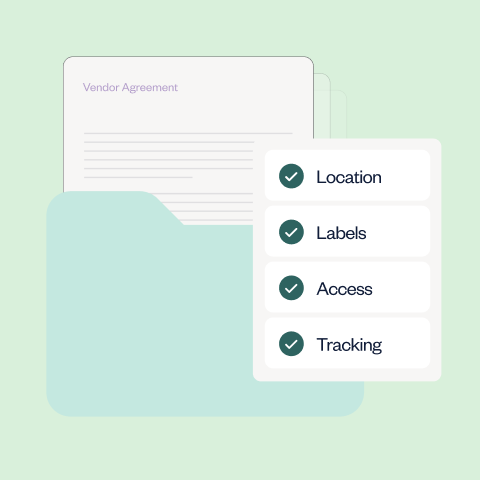
Contract organization is the way a business stores, labels, secures and tracks its agreements so the right people can find the right contract fast. It covers four things: where contracts live, how they're named and tagged, who can see them and how key dates and obligations get tracked.
Contract organization is narrower than full contract lifecycle management, which also covers drafting, negotiation and approvals. Think of organization as the foundation that the rest of the lifecycle sits on.
Here's how the four parts break down:
Location: One home for every agreement, signed or still in progress.
Labels: A shared naming convention plus metadata like counterparty, type and end date.
Access: Permissions that match each person's role.
Tracking: Alerts and owners for renewals, deadlines and obligations.
Location comes first. Good contract storage answers one question fast: where does this agreement live right now? If you can't answer that in seconds, the other three parts won't hold up.
Why Do Folders Fail at Organizing Contracts?
Folders look tidy, which is why folders fail at organizing contracts so quietly. The system seems fine until someone needs a clause, date or signed copy in a hurry. Here are the five places folder systems break.
#1 Everyone Builds Folders Their Own Way
Sales saves deals under "Vendor Agreements." Procurement files the same kind of contract under "Supplier Contracts." Finance has a third folder called "AP Contracts 2024."
When every team invents its own folder logic, contract visibility drops for everyone outside that team. Turnover makes it worse. When the person who built the structure leaves, the logic leaves with them.
#2 Nested Subfolders Waste Time
Finding one NDA can mean clicking through Legal, then Commercial, then 2025, then Q3, then Customer Name. Five clicks deep, you may still be in the wrong place.
Searching is a big drain on the workday already. A 2025 Coveo survey of 4,000 US and UK workers found, "Employees report wasting an average of three hours per day searching for information." That figure covers general knowledge work, but deep folder trees only add to it.
#3 Duplicates Hide the Real Version
A contract gets emailed for review, saved to a desktop, then edited and uploaded again. Now you have three copies and no single source of truth.
Duplicate files are how teams end up signing the wrong draft, which is why contract version control matters as soon as two people edit the same agreement. Without it, "final" just means "the last one someone touched."
#4 One Contract, One Folder, Many Categories
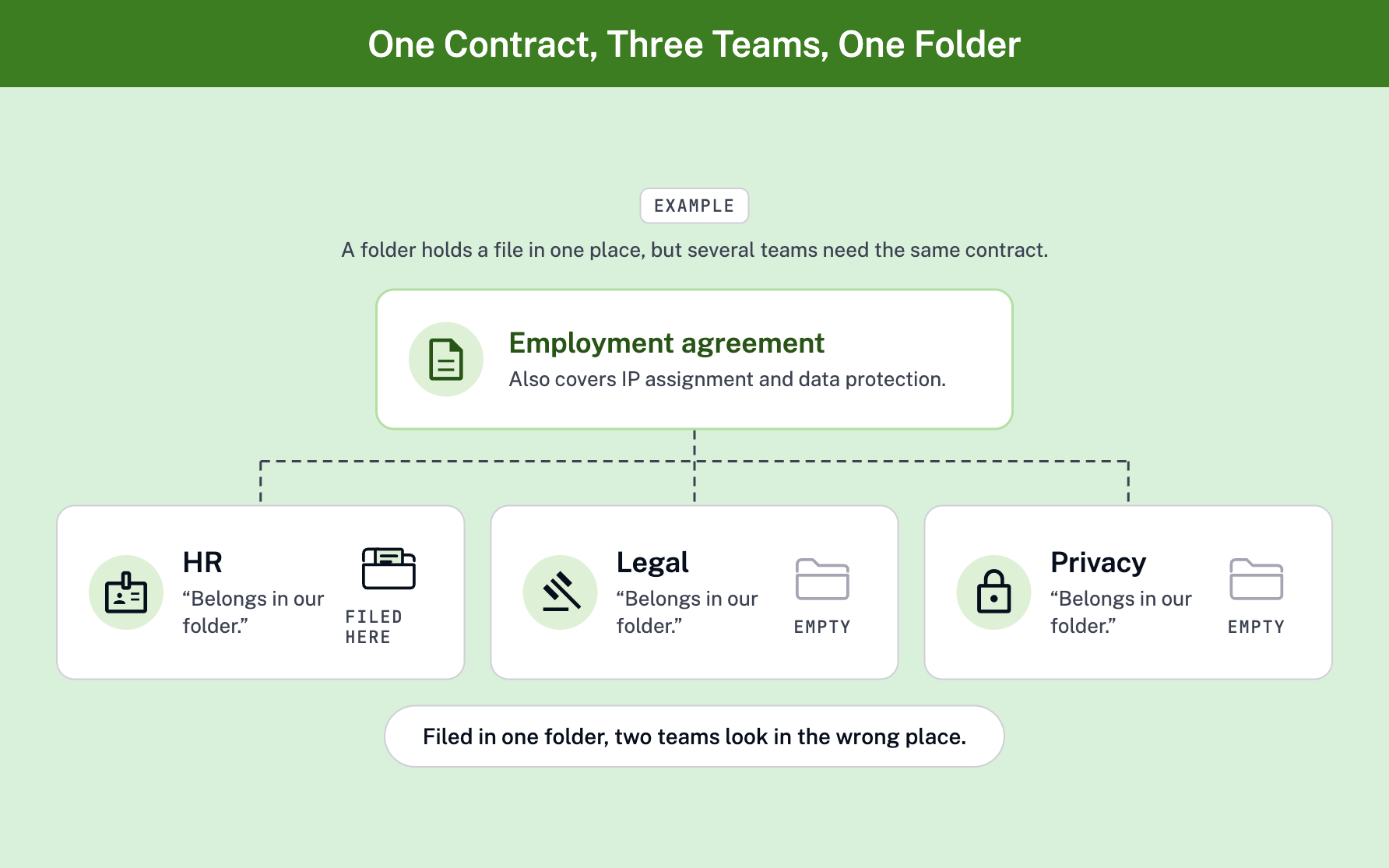
An employment agreement can also cover IP assignment and data protection. HR, Legal and Privacy each want it in their own folder. A folder forces you to pick one location, so two teams end up looking in the wrong place.
Multiply that across the business and data spreads fast. World Commerce & Contracting found, "On average, contract-related data is scattered across 24 different systems." Folders can't pull those pieces back together.
#5 Search Only Sees File Names
Folder search reads file names, not what's inside the document. It can't find an auto-renewal clause or list every contract ending next quarter. Folders also can't send you a single alert.
Folder search matches file names, while full-text contract search can find a clause buried on page 14. A public university's contracts team hit this wall before moving off network storage.
“We used to keep contracts in a network-attached storage. It was difficult to keep track, and we couldn't even search for a contract by its name or type.”
After the switch, the team reports saving 6+ hours per week, per person.
How to Organize Contracts: 8 Tips That Actually Work
You don't need to fix everything at once. These tips build on each other, so start at #1 and work down. Even if you're not ready for new software, the first few steps make organizing contracts easier right away.
#1 Put Every Contract in One Place
Start by choosing one home for every agreement. That includes signed contracts and anything still in review.
A contract repository gives every executed and in-flight agreement one home, so nobody has to guess which drive to check. Pull contracts out of inboxes, chat threads and personal drives.
"Contracts scattered across emails, WhatsApp and drives. It puts them in one searchable repository, so finding the signed version of an agreement is quick."
A naming convention is the cheapest fix you can make today. It's also a smart bridge step if you're not ready for a CLM yet.
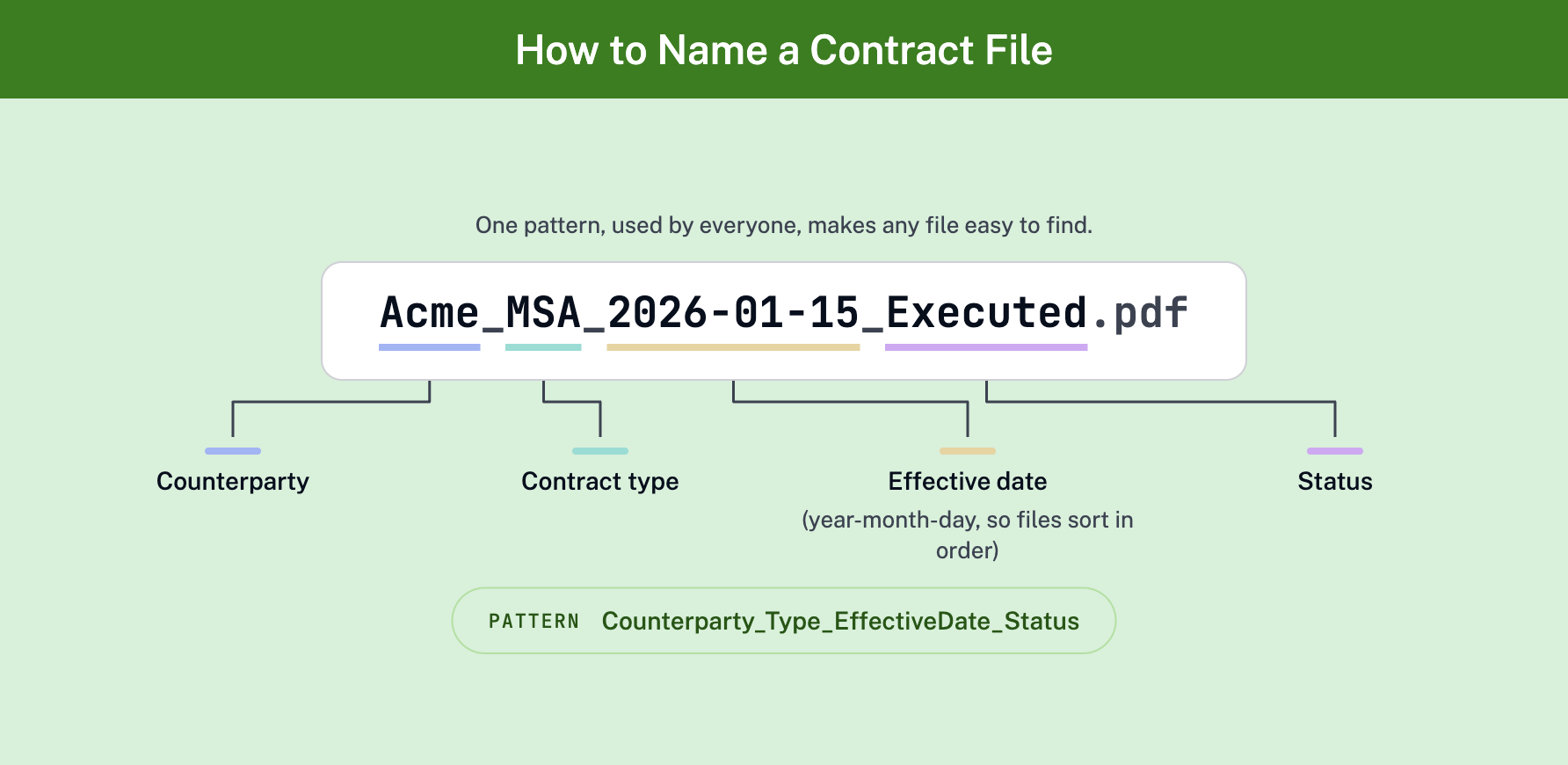
Use this pattern: Counterparty_Type_EffectiveDate_Status. For example:
Acme_MSA_2026-01-15_Executed.pdf
Acme_NDA_2025-11-03_Draft.docx
Acme_MSA-Amendment1_2026-06-01_Executed.pdf
Write the rule down, share it with every team and stick to it. Use YYYY-MM-DD dates so files sort in order.
#3 Tag Every Contract With the Same Metadata
Names help you find a file, but metadata helps you answer questions. Tag each contract with the same core fields:
Counterparty
Contract type
Effective date
End date
Renewal terms
Owner
Contract value
Consistent metadata extraction turns a pile of PDFs into something you can filter by counterparty, value or end date. Once every contract has the same fields, you can run repository analytics instead of hunting.
#4 Keep One Live Version and Store Amendments With the Parent
Amendments and SOWs get lost when they live in separate folders. Attach each one to its parent agreement so the full story stays together.
Lock executed copies so nobody edits a signed contract by mistake.
Link every amendment, addendum and SOW to the original agreement.
Archive old drafts instead of leaving them next to the final version.
#5 Set Renewal Alerts Before Notice Windows Close
Auto-renewals are where messy contract organization costs real money. If you miss the notice window, you're locked in for another term.
Alerts at 90, 60 and 30 days before a notice deadline are the simplest way to avoid missing contract renewal dates. Send each alert to a named owner, not a shared inbox.
"Before we had SpotDraft, auto renewals for vendors were extremely chaotic and they were missed all the time. We lost money on several occasions, I can't even think of one because there were so many."
Lizzy Gagan
Senior Legal Counsel, Beamery
Beamery's customer story reports that renewals are no longer missed.
Renewals aren't the only dates that matter. Payment milestones, SLAs and reporting duties need owners too, so tracking contract obligations belongs in the same system as the contract itself.
#6 Control Who Can See and Edit What
Not everyone needs access to every contract. Set clear roles:
View: Can open and read contracts.
Edit: Can change drafts and metadata.
Approve: Can sign off before signature.
Admin: Can manage users and permissions.
Review these roles whenever someone changes teams or leaves the company.
Role-based permissions are a core part of contract security, because a sales rep rarely needs to open an employment agreement.
#7 Migrate Old Contracts in Phases
Don't try to move ten years of files in one weekend. Split the work into phases:
Phase 1 covers high-risk and high-value agreements.
Phase 2 covers high-volume templates like NDAs.
Phase 3 covers everything else, oldest last.
Start with your highest-risk agreements when you move legacy contract data, then work backward through older files.
"The onboarding was very smooth. We migrated 4,000-odd legacy agreements... I didn't have to break a sweat, and I was quite satisfied with the eventual outcome."
Eureka Forbes moved those 4,000+ agreements over with their metadata intact.
#8 Audit Your System Every Quarter
Even a good system drifts. People skip fields, save local copies or invent new contract types.
A quarterly pass against a simple contract audit checklist catches missing fields and orphaned files before they pile up. Check for:
Contracts with blank end dates or owners
Duplicates of executed agreements
Users who no longer need access
Contracts filed under the wrong type
What Tools Can You Use to Organize Contracts?
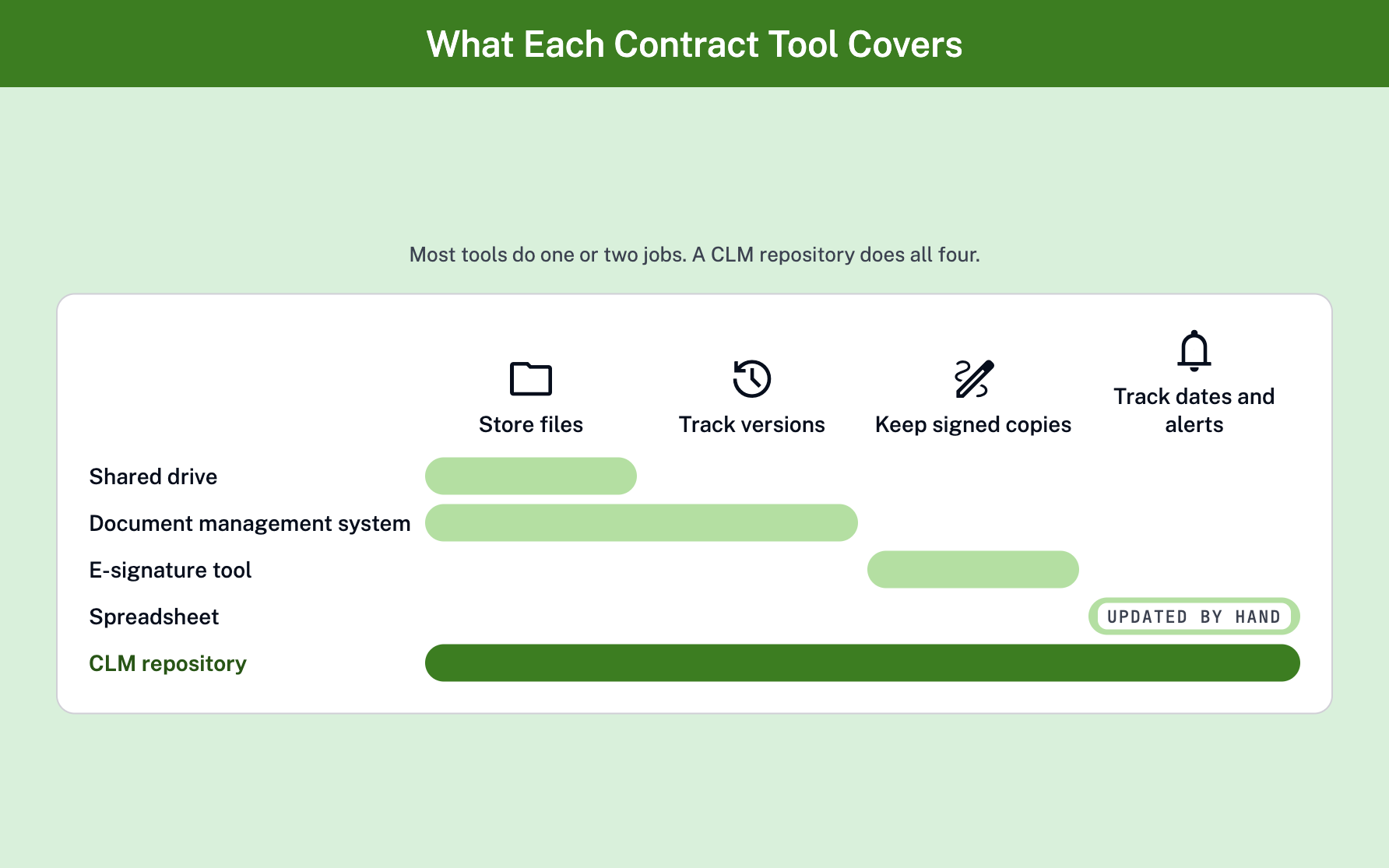
The right tool depends on how many contracts you manage and how many people touch them. Here's how the common options compare.
Tool
Best for
Where it breaks
Spreadsheets
Tracking a few dozen contracts
Manual updates, no alerts, no link to the document
Shared drives and folders
Small teams storing files
One location per file, file-name search, duplicates
Document management systems
Version history for many file types
No contract fields, renewal alerts or obligation tracking
E-signature tools
Sending and storing signed copies
No deadline tracking or search across clauses
CLM and repository software
Growing teams with many contracts and stakeholders
Needs setup time and a clear owner
Spreadsheets are where most teams start. Contract management with Excel works fine for a few dozen agreements, but it breaks once nobody remembers to update the sheet. The tracker and the contract also live apart, so they drift.
Shared drives and folders are familiar, which is why teams keep using them. If your team lives in Google Drive, a Google Drive integration lets people keep that habit while the CLM handles search and alerts.
A document management system (DMS) handles versions and check-in well for all kinds of files. It doesn't know what a renewal term or notice period is, though.
E-signature software stores signed copies well, but it won't tell you when a notice window is about to close. It's also blind to drafts that never got sent.
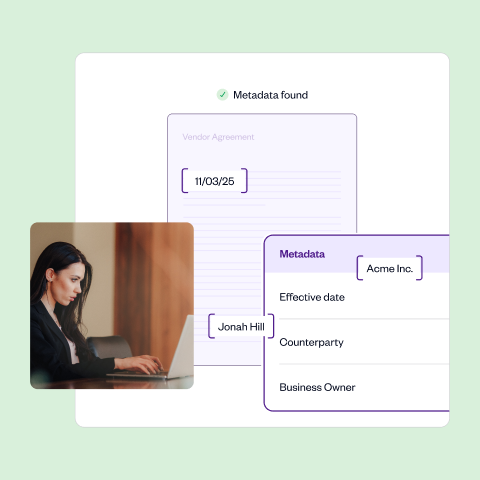
CLM and contract repository software are built for contracts. A CLM repository becomes your single source of truth because metadata is captured automatically and access is controlled by role. SpotDraft's AI Metadata Extraction can extract over 1,000 types of contract metadata.
AI-powered data capture pulls dates, parties and clauses from uploaded contracts, so nobody has to type them into a tracker. That's the step spreadsheets and drives can't do.
"What I find most useful about SpotDraft is the centralized, searchable contract repository that keeps everything in one place, along with automated renewal and expiry alerts that help prevent missed deadlines."
How Do You Roll Out a New Contract Organization System?
New systems fail when they launch everywhere at once. Start small, prove it works and then expand.
Pick one contract type first, such as NDAs or vendor agreements, and get it right before adding more. Picking one owner, often someone in legal operations, keeps the rollout from stalling between teams.
Next, fix intake so the mess doesn't come back. Building tagging into contract workflows means new agreements arrive organized instead of needing cleanup later.
Finally, measure what changed. Analytics dashboards make it easy to track search time, renewal capture and adoption after launch. Track these three numbers:
Average time to find a signed contract
Share of renewals flagged before the notice date
Share of new contracts entered with complete metadata
SpotDraft's own implementation path runs from discovery and planning in Week 1 to a live system by Week 6.
Conclusion: Time to Ditch the Folders
Folders were built to hold files, and contracts carry dates, owners and obligations too. They split agreements across team-specific structures, bury the real version under duplicates and only search file names. That's why so many legal teams still scramble when someone asks for a signed copy.
You can fix it in steps. Put every contract in one place, agree on a naming convention and tag the same metadata every time. Then add renewal alerts, role-based access, a phased migration and a quarterly audit. Each step makes the next one easier.
When you're ready to move past spreadsheets and drives, a CLM repository keeps contract organization working without constant cleanup.
See how SpotDraft brings your contracts into one searchable, secure hub.
“Before using SpotDraft, executing a contract would take up to weeks. Now, contracts are signed within minutes, with better data security and tracking. The whole process takes us less than a day!”
Arti Singh
Founder’s Office, Growth, UrbanVault
“Before using SpotDraft, executing a contract would take up to weeks. Now, contracts are signed within minutes, with better data security and tracking. The whole process takes us less than a day!”